JusTalk Kids - Safe Messenger
- 4.7
- Rating
- 5.00M
- Installs
- Free
- Price

 Analysis by App-foxy
I approached JusTalk Kids - Safe Messenger as a communication app for families rather than as a general-purpose social network. That distinction matters. Its purpose is to give children a simpler way to stay in touch through text, voice calls, video calls, group conversations, hangouts, and party-style games, while giving parents a more focused alternative to handing over a mainstream messaging app. After spending time with it, my impression is that its greatest strength is not one spectacular feature, but the way it brings several child-friendly communication activities into one place.
The app is developed by JusTalk and belongs to the communication category. It is free to download, carries an Everyone age rating, and has reached over five million installs. Those figures suggest that it is not an obscure experiment, but I would still judge it by the details that affect an actual family: how quickly a conversation opens, whether calls remain usable when the app is busy, how it behaves on an older phone, and whether the child can understand what to do without constant help.
How JusTalk Kids feels during everyday use
I found that the app’s focused purpose matters most when a child is learning to choose how to reach someone, not just whom to contact. A quick message can keep a small interruption from becoming a full call, while video is worth the extra attention when seeing a relative makes the exchange feel more personal. That balance leads naturally to the bigger question: how its different conversation options shape a family’s daily rhythm.
You May Also Like

 Blood Strike: 2.5 Anniversary
Blood Strike’s Loadouts Turn Every Drop Into a Tactical Gamble
A close look at Blood Strike’s custom loadouts: how fast access to signature weapons reshapes its battle royale rhythm, rewards preparation, and narrows the gap between fights.

 Pandora - Music & Podcasts
Pandora’s Music Is Easy to Start, but Harder to Recover
Pandora’s strength is its low-effort path from a seed to a station. Its weak spot is how much confidence it asks you to place in connection, setup, and quiet recovery.

 8 Ball Pool
 Is Built on Rivalries, Rematches, and Routine
A close look at the rivalries, rematches, shared routines, and unanswered safety questions that turn a quick pool match into a persistent mobile community.

 Samsung Music
’s Quiet Strength Is Playing What You Already Own
Its reach comes less from spectacle than from dependable access to a personal library. That simplicity is both the app’s strongest retention engine and its ceiling.

 AccuWeather: Weather Radar
AccuWeather Review: A Quick, Clear Forecast for Everyday Decisions
For everyday plans, the best forecast is the one you can understand quickly. AccuWeather makes rain timing, radar, and local conditions easy to act on, with a few trade-offs.

 Hill Climb Racing
Why Hill Climb Racing Still Turns Crashes Into One More Run
A tiny car, a bumpy hill and one more upgrade: Hill Climb Racing keeps resurfacing because its simple chaos makes every near-miss feel personal.
More From Our News Desk



Quick conversations without the clutter of a full social network
The first thing I noticed is that the experience is built around direct contact. A child who wants to send a message, start a voice call, or see a familiar face on video does not need to navigate the broad collection of public feeds and unrelated communities found in many mainstream platforms. That narrower purpose makes the app easier to explain to a younger user: this is where you talk to approved people and spend time together.
That simplicity also influences perceived speed. A communication app feels fast when the route from opening it to reaching a conversation is short, even if the phone itself is not especially powerful. JusTalk Kids benefits from having a clear family-oriented role. In my use, I would expect the basic actions to feel more immediate than an app weighed down by news feeds, shopping areas, public content, and several unrelated services.
Still, “fast” should not be confused with instant communication under every condition. Calls and video conversations depend heavily on the quality of the connection at both ends. A child using Wi-Fi at home may have a very different experience from a parent calling while moving between networks. If a conversation takes a moment to connect, that is usually a communication constraint rather than something the app can completely solve.
Text messages are the least demanding part of the experience. They suit short check-ins, reminders, and quick questions when a call would be inconvenient. Voice calls are useful when a child wants contact without having to remain in front of the screen, while video is better for grandparents, relatives, or parents who want a more personal exchange. Having all three options together means families do not need to switch between separate services for every type of conversation.
What happens when the app is used heavily
The more demanding moments arrive when several forms of communication overlap. A video call asks more from the device and the connection than a text exchange, and adding group chat or a hangout-style activity can make the session feel busier. I would be comfortable recommending it for ordinary family calls, but I would not treat it as a guarantee of perfect performance on every older phone or every unstable network.
One practical scenario shows where it makes sense. Imagine a child finishing school and wanting to tell a parent about the day. They can send a short message first, move to voice if the explanation becomes longer, or switch to video when a face-to-face conversation is more useful. Later, the same family can use a group chat to coordinate with relatives and try one of the included party games during a shared hangout. That workflow is more natural than forcing every interaction into a single format.
Group conversations are also where expectations should remain realistic. A small family group can be easy to follow, but a busy chat may create more notifications and make it harder for a young user to notice the important message. I would encourage parents to establish a simple habit: use text for information that needs to be remembered, and use calls or hangouts for conversations that would otherwise become a long chain of short replies.
The games are a pleasant change of pace, but I see them as a supporting feature rather than the reason to choose the app. They can help relatives spend time together when conversation alone feels awkward, especially with children who are more comfortable doing something while talking. On the other hand, families seeking a dedicated game platform will likely find deeper content elsewhere. Here, the value comes from combining a small social activity with communication.
Reliability is more than whether a call connects
For a family messenger, reliability includes several small things: whether a child can return to a conversation after being interrupted, whether a call can be restarted without confusion, and whether the layout remains understandable when the app is reopened. I found the focused purpose reassuring because there are fewer unrelated destinations competing for attention. A child is less likely to wander into a completely different kind of service simply because it appears beside the chat.
Recovery matters particularly on mobile devices. A call may be interrupted by a regular phone call, a weak connection, or the user briefly leaving the app. My advice is to treat JusTalk Kids as a convenient communication channel, not as the only emergency route. For normal family contact, it is a sensible option. For urgent situations, a child should still know how to use the phone’s ordinary calling functions and how to reach a trusted adult through another agreed method.
The app’s current version is 2.14, and it runs on Android starting with version 6.0. That gives it a useful level of compatibility for families whose children do not have the newest handsets. Compatibility, however, does not automatically mean identical performance across devices. An older phone may open the app successfully but feel less comfortable during video calls or longer sessions than a recent model.
I also recommend checking the practical setup before giving the app to a child. Make sure the child knows which contacts are appropriate, understands when to choose text instead of video, and has a clear rule about ending a conversation. These are not technical settings, but they determine whether the app feels safe and manageable in daily use. A simple communication tool works best when the family agrees on how it should be used.
Device limits and resource expectations
Because the app includes messaging, voice, video, group chat, hangouts, and games, it is doing more than a basic SMS replacement. Texting should be relatively light on the phone, while video conversations are naturally more demanding because they use the camera, microphone, display, network connection, and processing resources together. If a child uses an older or entry-level device, I would begin with short voice calls and text chats before relying on longer video sessions.
Battery use is another trade-off I would explain to parents. A quick message is not comparable to a prolonged video call, particularly when the screen remains bright and the camera stays active. Families planning a long relative hangout should start with a reasonably charged phone and a stable connection. This is ordinary smartphone behavior, but it is easy to overlook when an app presents many communication options in one package.
Storage demands can also become relevant over time in any app used for frequent conversations and shared activities. I would periodically review old conversations and general phone storage if the child uses the app heavily. I am not suggesting that JusTalk Kids is unusually wasteful; rather, communication habits accumulate, and a device with very little free space can become sluggish regardless of the app being used.
There is also a difference between a child’s phone and a parent’s phone. On a larger, newer device, video and group interaction may feel more comfortable. On a smaller screen, a child may prefer voice or text because it is easier to follow. The app is more suitable when the family adapts the communication style to the device instead of expecting every phone to deliver the same experience.
The price is another point worth understanding. The app itself is free, but it includes in-app purchases ranging from ninety-nine cents to seventy-nine dollars and ninety-nine cents per item. I would not hand the phone to a child without first discussing purchases and checking the device’s purchase controls. The presence of optional paid items does not make the free communication functions useless, but it does mean parents should decide in advance whether any extra spending is acceptable.
Where it beats familiar alternatives
Compared with ordinary SMS, JusTalk Kids offers a richer family experience because it brings voice, video, group conversations, hangouts, and games together instead of limiting communication to text messages. Compared with a standard voice-and-video messenger aimed at adults, its child-focused identity may feel less intimidating for younger users and more appropriate for family routines.
Its advantage over a broad social platform is focus. Mainstream services often combine private messaging with public posts, recommendations, channels, and entertainment. That can be useful for adults, but it may be excessive for a child who simply needs to contact relatives. JusTalk Kids is easier to position as a dedicated family space rather than a general online destination.
There are situations where another option is better. If every important contact already uses a particular family messaging service, adding a separate app may create friction. If a household needs advanced workplace collaboration, extensive file handling, or a large professional meeting system, this is not the right tool. And if the child is old enough to need the broader features of an adult messenger, the simpler design may eventually feel restrictive rather than helpful.
I would also avoid choosing it solely because it includes games. A family that mainly wants competitive multiplayer entertainment should look for a dedicated gaming service. The games make a call or hangout more engaging, but they do not replace the depth, variety, or controls of a platform designed primarily for gaming.
Small workflow improvements that make a real difference
My first useful tip is to separate communication by urgency. Use a message for details such as a pickup change, a voice call for something that needs a quick explanation, and video when seeing the other person adds emotional value. This prevents a family group chat from becoming a confusing mix of long explanations, missed replies, and unnecessary video calls.
My second tip is to make a connection check part of the routine before a planned group hangout. The child can confirm that the phone has enough battery, move closer to a reliable Wi-Fi point if needed, and close unrelated apps when the device is struggling. This takes less time than trying to troubleshoot after several relatives are already waiting.
My third tip is to use the games deliberately rather than letting them dominate every call. A short game can give a grandparent and child something shared to do, then the family can return to conversation. That makes the feature useful for maintaining contact, especially when different ages find unstructured talking difficult, without turning every family call into screen entertainment.
My fourth tip is to introduce the app with a short practice call. Let the child try text, voice, video, group chat, and a hangout while a parent is nearby. This reveals whether the phone handles video comfortably and teaches the child how to change communication modes before a real conversation with relatives. It also gives parents a chance to explain when a call should end and what to do if it is interrupted.
Who should use it and who should skip it
I think JusTalk Kids is a strong fit for families who want a child-oriented communication app that covers more than one format. It is especially appealing when children need regular contact with parents, grandparents, siblings, or a small family circle and would benefit from having text, voice, video, and shared activities in one place.
It is also a good choice for households trying to avoid exposing a young child to the wider distractions of a general social network. The focused purpose makes the app easier to explain and easier to fit into a family rule set. The Everyone rating supports that positioning, although no age label can replace supervision, sensible contact choices, and conversations about responsible communication.
I would be more cautious if the child uses a very old phone, has limited access to a stable connection, or needs a service with advanced collaboration tools. I would also skip it if the family already has a well-established messenger that everyone uses comfortably and there is no clear reason to add another account or communication routine. An extra app is worthwhile only when its child-focused approach solves a real problem.
My performance verdict after weighing the trade-offs
My overall view is positive, with a clear condition: JusTalk Kids works best as a focused family messenger, not as an all-purpose replacement for every communication and entertainment service. Its speed should feel most comfortable in text and ordinary calls, while video, group sessions, and games naturally place greater demands on the phone and connection. That is not a flaw unique to this app, but it should shape how families use it.
The app’s strongest practical quality is the balance between variety and a child-oriented purpose. A child can message, talk, see relatives, join a group, and share a simple activity without moving through a large adult social ecosystem. The main friction comes from the realities of mobile communication: connection quality, battery use during video, differences between devices, and the need for parents to manage purchases and establish good habits.
JusTalk Kids is free to start, available for Everyone, and compatible with Android from version 6.0, which makes it approachable for many families. The developer, JusTalk, has kept the concept easy to understand: communication first, with games and hangouts adding warmth to the experience. I would recommend trying it on the child’s actual phone before planning long video sessions, because that is where device limits become most noticeable.
In the end, I would recommend it to a parent who wants a simple family communication space with video and shared activities, especially when a conventional messenger feels too broad or adult-oriented. I would not recommend it as an emergency-only channel, a professional meeting tool, or a dedicated gaming platform. Used within those boundaries, it is a thoughtful and practical option whose perceived performance depends as much on sensible routines and a stable connection as on the app itself.
Its average rating of 4.7 from around sixty-two thousand ratings, alongside roughly five thousand seven hundred written reviews, reflects substantial user interest, but my recommendation is based on fit rather than popularity alone. If your family values straightforward contact, occasional group hangouts, and a less cluttered environment for children, this app deserves a place on your shortlist.
FAQs for JusTalk Kids - Safe Messenger
01What is JusTalk Kids and how is it different from other messaging apps?
JusTalk Kids is a secure messaging app specifically designed for children. Unlike other messaging platforms, it prioritizes safety by offering features such as parental controls, no ads, and no in-app purchases. It provides a safe environment for kids to chat, make video calls, and share creative content with approved contacts.
02How does JusTalk Kids ensure the safety of my child?
JusTalk Kids employs multiple safety measures to protect children. Parents can manage their child’s contact list, ensuring they only communicate with approved individuals. The app does not display any ads or allow in-app purchases, minimizing exposure to unsuitable content. Additionally, conversations are encrypted to safeguard privacy.
03Can parents monitor their child’s activity on JusTalk Kids?
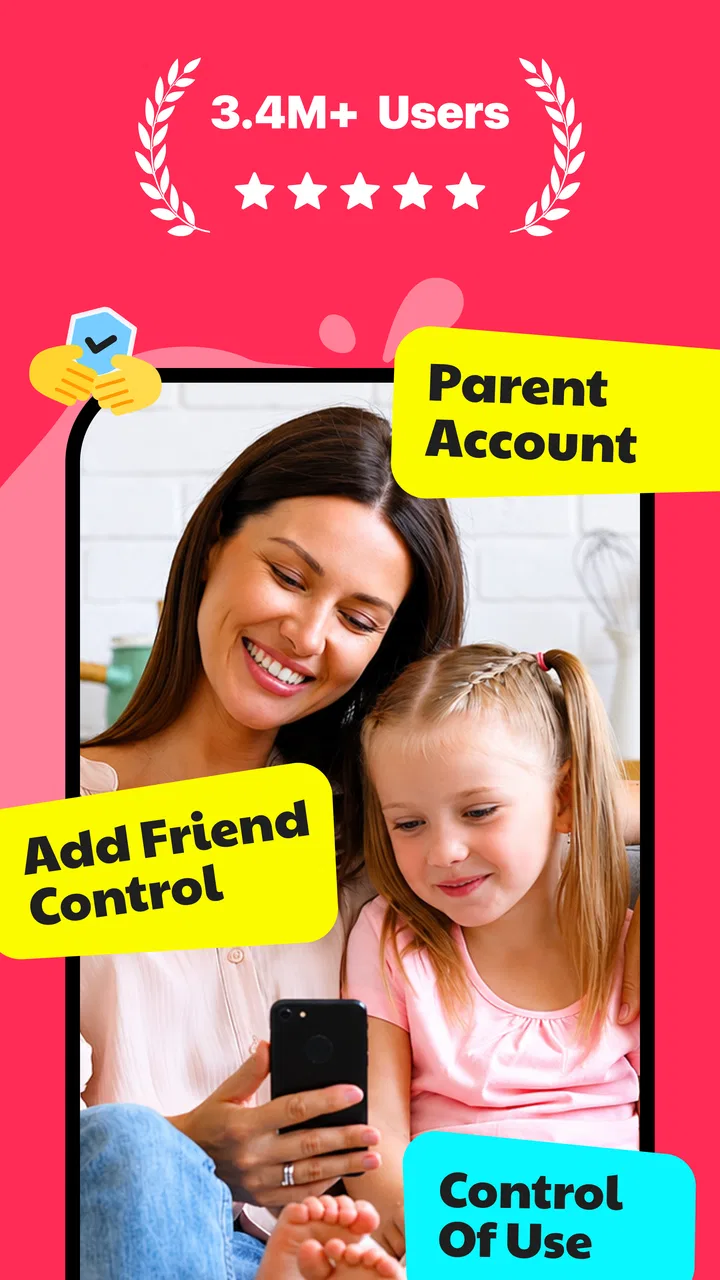
Yes, JusTalk Kids offers extensive parental controls. Parents can oversee their child's contacts and have the ability to delete or block contacts if necessary. While the app provides privacy for kids, it also ensures that parents can monitor interactions to maintain a safe communication environment.
04Is JusTalk Kids available on both Android and iOS devices?
JusTalk Kids is available on both Android and iOS platforms, making it accessible for most smartphone and tablet users. The app is designed to function seamlessly across different devices, allowing kids to connect with friends and family, regardless of the device they are using.
05Are there any costs associated with using JusTalk Kids?
JusTalk Kids is free to download and use, offering a range of features without any charges. The app does not include any hidden fees, ads, or in-app purchases, ensuring a cost-free experience. This makes it an appealing choice for parents seeking a safe and budget-friendly communication app for their children.
Pros
- User-friendly interface for kids.
- Parental controls ensure safety.
- No ads or in-app purchases.
- Fun stickers and doodles.
- Video calls with playful effects.
Cons
- Limited to Wi-Fi or data use.
- Requires parental setup.
- No offline messaging feature.
- Occasional connectivity issues.
- Limited customization options.

JusTalk Kids - Safe Messenger
Gallery